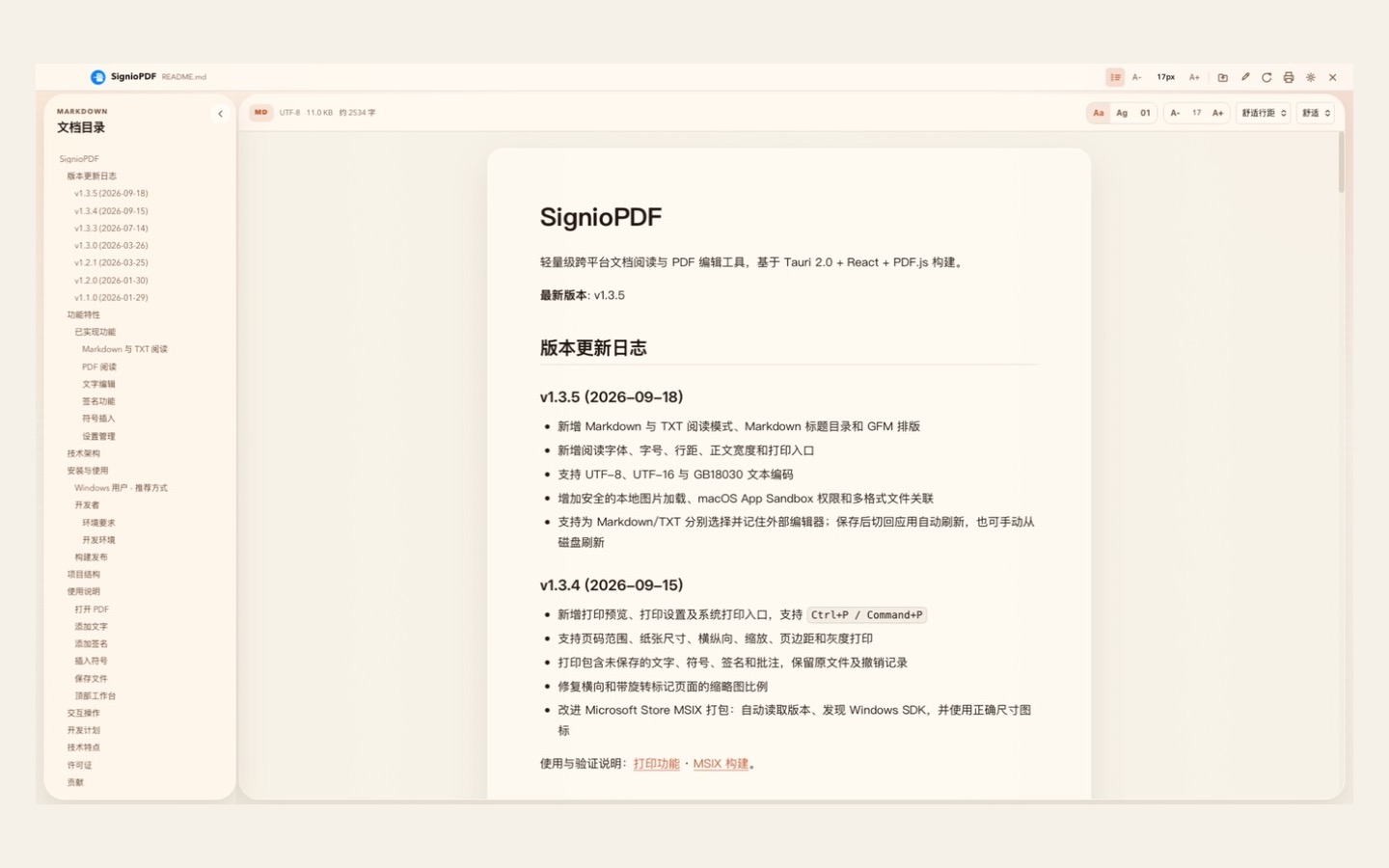
SignioPDF began as a fast, focused way to read, sign, and annotate PDFs. Version 1.3.5 turns it into a broader local document workspace—without giving up the small footprint, direct controls, or privacy-first approach that shaped the app.
Read PDF, Markdown, and TXT in one app
The new Markdown reader supports GitHub Flavored Markdown, including tables, task lists, code blocks, links, quotes, and images. A heading outline is generated automatically, so long notes and technical documents remain easy to navigate. Raw HTML is disabled by default, and local images can only load safely from the document directory.
TXT files now have a dedicated continuous-reading view that preserves line breaks and indentation. SignioPDF understands UTF-8, UTF-16, and GB18030, making it practical for documents created across different systems and languages.
Make the reading view your own
Choose sans-serif, serif, or monospace type; adjust text size, line height, and reading width; then pick from Warm Paper, Warm Night, Ocean Blue, Forest Green, or Soft Lavender. SignioPDF can also follow the system appearance.
Edit elsewhere, return without friction
Markdown and TXT can each remember a preferred external editor. Open the document in that editor, save your changes, then return to SignioPDF and refresh from disk. The handoff is deliberate and predictable—there is no hidden real-time synchronization.
Print what you actually see
The print workflow introduced in 1.3.4 now works across PDF, Markdown, and TXT. Preview all pages, the current page, or a custom range; choose A4, A3, Letter, or Legal; set orientation, scaling, margins, and grayscale; then continue to the system print dialog.
For PDFs, the preview includes unsaved text, symbols, signatures, highlights, and drawings without modifying the source file or clearing undo history.
The PDF toolkit is still here
Add styled multiline text, place common form symbols, draw or upload reusable signatures, remove white backgrounds from signature images, highlight text, mark up areas, draw freehand, and organize pages. The responsive tool strip can be reordered and keeps priority actions visible as the window narrows.
Local-first, with clear feature access
Document contents remain on your device: no cloud upload is required for reading, editing, or print preparation. PDF, Markdown, and TXT reading stays free. In the Mac App Store edition, SignioPDF Pro unlocks PDF editing, printing, and external-editor integration; other platforms retain their current feature access until their own store products are introduced.
SignioPDF 1.3.5 is a meaningful step forward: one calm desktop workspace for everyday documents, designed to keep the work—and the files—close to you.